support@zurihr.com
+254 757 012345
How to Bulk Create ESS, Move Employees, Terminate, and Export Data
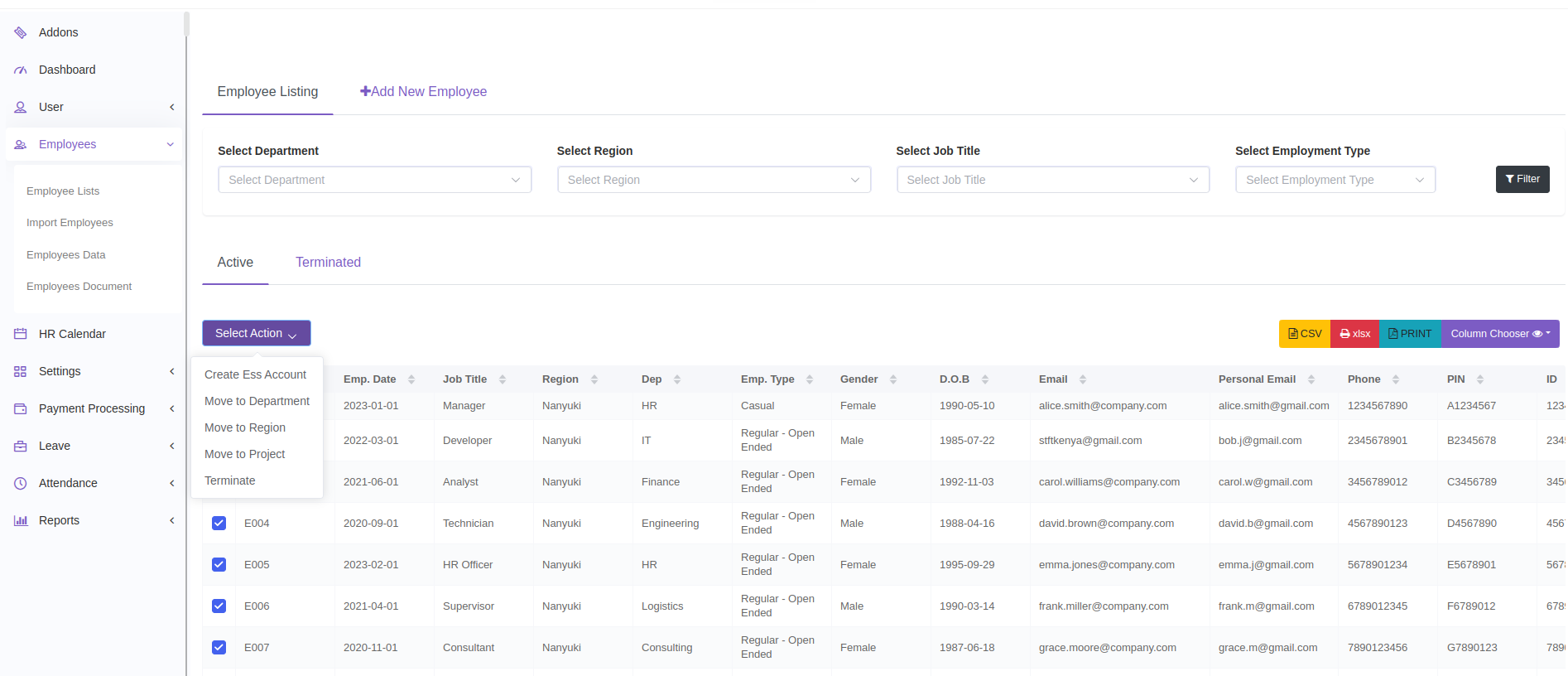
Go to Employees > Employee List.
Use the checkboxes to select the employees you want to apply a bulk action to.
On the Top left, open the Bulk Action dropdown and choose one of the following:
Create ESS Account
Move to Department
Move to Region
Assign to Project
Terminate Employee
Follow the prompts to complete the selected action.
Click the Export button at the top right of the Employee List page.
Click your desired format: CSV, Excel, or PDF.
Select or deselect the fields you want included in the export file under Column Chooser button.
Click Export to download the data.